WiFi#
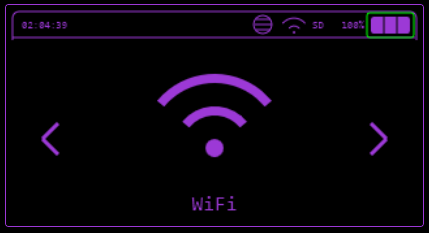
Various WiFi functions including attacks, evil portal, telnet, SSH and Brudcegotchi.
Connect to Wifi#
Connects into a chosen network, it will allow you to use TCP Listener, ARP Poisoning, Station Deauth, TelNet, SSH and Scan Hosts functions.
Start WiFi AP#
Launches an Access point, so you can connect up to 4 guests to share information between each other.
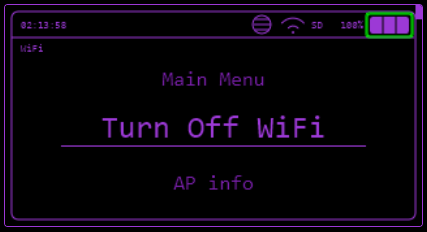
Turn Off WiFi#
Disconnects and shuts the radio down.
This entry only appears while WiFi is on.
AP info#
Shows details of the network Bruce is connected to: SSID, the saved password, whether the internet is reachable, the supported PHY modes, signal strength, gateway and local IP, channel and channel width, BSSID, the manufacturer looked up from the BSSID, auth mode, WPS state and the unicast and group ciphers.
This entry only appears while Bruce is connected to a network as a station.
Wifi Atks#
Target Atks#
Scans for a WiFi AP to either:
- Get more information of it (MAC and channel),
- Send Deauth frames
- Clone AP name and make a Evil Portal
- Deauth + Clone
- Deauth + Clone and verify, in case you are trying to get password of a WiFi network.
Karma Attack#
The Karma attack tricks devices into connecting to your ESP32 by impersonating WiFi networks they're looking for.
When your phone/device wants to connect to WiFi, it constantly broadcasts "probe requests" - basically shouting "Hey, is Starbucks WiFi here?" (or whatever networks it remembers). The Karma attack listens for these probes, then immediately responds saying "Yes, I'm that network!" - even though it's not.
What the New Code Does
- Sniffs for probe requests - Captures devices asking for SSIDs like "Home WiFi," "Starbucks," etc.
- Intelligent response system - Instead of just responding to everything, it: · Tracks clients by fingerprint (not just MAC, since modern devices randomize MACs) · Prioritizes vulnerable clients (devices that have probed for multiple networks) · Rate-limits responses to avoid flooding
- Auto Portal Launch - When a device shows interest in an SSID, it can automatically spin up an Evil Portal (fake login page) to capture credentials.
- Clone Detection - If it sees many devices probing for the same popular SSID (like "xfinitywifi"), it will clone that network to catch more victims.
- Tiered Attack System - Prioritizes attacks based on: · Signal strength (closer devices get higher priority) · How many networks they've probed for · How recently they were seen
- Broadcast Mode - Can actively advertise common SSIDs from a database (instead of just waiting for probes), making devices connect without them even asking.
SSID Database for Broadcast Mode
When using Broadcast or Full mode, place ssid_list.txt on SD card root or LittleFS root (one SSID per line). A pre-made list with ~15,000 SSIDs is available at: https://github.com/BruceDevices/firmware/tree/main/sd_files
Key Defenses It Handles
· MAC randomization - Uses behavioral fingerprinting (probe patterns, supported rates, etc.) to track devices even when MAC changes · Modern security - Can mimic WPA2/WPA3 networks, not just open ones
The Result
The device thinks "Oh, this ESP32 is the network I'm looking for" and tries to connect. Once connected, you can redirect them to a captive portal to steal passwords or just monitor traffic.
Main Karma Modes
· Passive Just listens for probes, no responses. · Broadcast Actively advertises SSIDs from database. · Full Both listens AND broadcasts.
Attack Settings (Toggle ON/OFF)
· Auto Karma - Automatically responds to probe requests · Auto Portal - Launches Evil Portal automatically for interested devices · Deauth - Sends deauth packets to disconnect clients · Beaconing - Sends beacon frames to advertise networks · HS Capture - Captures WPA handshakes (for cracking later)
Attack Strategy
· Clone Mode - Detects popular SSIDs and clones them · Tiered Attack - Prioritizes by signal strength & activity (High → Medium → Fast) · Clone Detection - Automatically identifies & mimics frequently-probed networks
Channel Controls
· Manual channel selection (Next/Prev) · Auto channel hopping (interval: 500-3000ms) · Smart hop based on activity
Active Broadcast Attack
· Start/Stop broadcasting SSIDs from database · Speed: Fast (200ms), Normal (300ms), Slow (500ms) · Shows progress & stats
Portal Template
· Select from HTML templates (Google, Router, etc.) · Load custom files from SD/LittleFS · Password verification option
Other Features
· Rotate MAC - Changes your BSSID periodically · Save Probes - Exports captured data to CSV/PCAP · View Captures - Check saved portal creds & handshakes · Clear Probes - Reset all captured data
The attack listens for what devices want, responds pretending to be that network, then optionally launches a fake login page to steal credentials.
Beacon SPAM#
Spams SSID frames in the air.
Funny SSID#
Spams a list of funny hardcoded SSID names.
Ricky Roll#
Spams Rick Roll lyrics in SSID names.
Random SSID#
Spams random SSIDs, composed by random numbers and letters.
Single SSID#
Spams a single SSID name that you type in.
Custom SSIDs#
Spams a list of SSIDs writen in a .txt file.
There must be:
- One SSID per line
- Up to 32 characters per SSID
- as many SSID you want
Deauth Flood#
Floods Deauth packets to all Access Points it can find.
Enhanced Deauth#
Deauth with target selection, instead of flooding everything in range.
Station Deauth (Single)#
Scans for networks, lists them with signal strength and channel, then deauths the one you pick.
Deauth All Clients#
Deauths every client on a chosen AP. You can pick the AP from a scan or select a channel directly.
Deauth Target List#
Scans for clients on a chosen AP, then lets you pick which of those clients to deauth.
Evil Portal#
In Evil Portal mode, Bruce creates a open WiFi, with DNS, DHCP and web server for captive portal.
- Evil Portal serves a fake login page that claims to provide internet access if you log in.
- This is a social engineering attack, and will log the username and passwords entered on the page.
- You can type the SSID before and change the current SSID by connecting to the portal from your own device and browsing to http://172.0.0.1/creds or http://172.0.0.1/ssid
- If your device has an SD Card the usernames and passwords will be logged to Bruce_creds.csv on the SD Card for you to view.
Example Portals#
For examples of portals you can check here
Setting AP Name from HTML#
Overview#
The EvilPortal system supports the ability to define an Access Point (AP) name directly within your HTML files.
By including a specific tag in the first line of your HTML file, Bruce will automatically extract and set the AP name, streamlining the setup process.
How It Works#
- Add the following tag in the first line of your HTML file
<!-- AP="YourCustomAPName" -->- Replace
YourCustomAPNamewith the desired name for your Access Point
- Replace
- When the HTML file is loaded, the system will
- Parse the first line of the file.
- Detect the
AP="..."tag. - Extract the value and set it as the AP name
- If the tag is not present it will ask you for AP name
Example HTML File#
<!-- AP="MyCoolNetwork" -->
<!DOCTYPE html>
<html>
<head>
    <title>EvilPortal</title>
</head>
<body>
    <h1>Welcome to EvilPortal!</h1>
</body>
</html>
In this example, the AP name will automatically be set to MyCoolNetwork.
Benefits#
- Dynamic Configuration Easily customize AP names without modifying code
- Ease of Use Set up AP names directly in your HTML files for faster deployment
Note
- Ensure the
<!-- AP="..." -->tag is in the very first line of the file. - The feature does not affect the functionality of other HTML content
NetCut#
Cuts individual hosts off the network you are connected to by poisoning their ARP cache, and restores them again on demand.
A scan runs first and lists every host it finds, tagged *VIP, [CUT] or [TRL] to show its current state. Selecting a host gives you:
- Cut - poisons the host so it loses the gateway.
- Resume - restores the host's ARP cache.
- Troll Mode - cuts and restores the host on a repeating cycle, so its connection drops in and out.
- Toggle VIP - marks the host as protected so the bulk actions skip it. VIP marks are saved to LittleFS and survive a reboot.
- Info - shows the host IP, MAC and current state.
The actions at the bottom of the list apply to every host that is not marked VIP:
- Cut All
- Troll All
- Resume All
- Troll Timing - sets how long each troll cycle stays offline and online, 1 to 300 seconds each.
- Re-Scan
This needs a WiFi connection, so you will be prompted to connect if you are not already.
Listen TCP#
Listen for incoming TCP connections on a specified port.
It waits for client connections, allowing the device to act as a server and handle communication with connected clients.
Client TCP#
The ESP32 can connect to a remote server as a client over TCP.
You can configure the target server's IP address and port, enabling data transmission to and from the server.
SOCKS4 Proxy#
Bruce can act as a SOCKS4 proxy, default port 1080. Traffic from your apps goes through the ESP32.
How to start: WiFi → SOCKS4 Proxy. The screen shows the ESP32 IP and port; press Esc to exit.
Use it from your PC or phone:
- curl:
curl -x socks4://<esp32_ip>:1080 http://example.com - proxychains: On
proxychains.confsetsocks4 <esp32_ip> 1080, then runproxychains <your_command>.
Make sure the device running curl/SSH/proxychains is on the same network as the ESP32 (e.g. same Wi‑Fi or hotspot).
TelNET#
Connect to TelNet servers and execute remote commands.
SSH#
Connect to SSH servers and execute remote commands.
DPWO-ESP32#
Searches for default credentials for some router operators more info here
Sniffer#
Saves .pcap to SD card with raw monitoring, you can also select for it to save only EAPOL/HandShakes and stop spamming deauth packets to detected beacons previously detected.
Channel Analyzer#
Hops channels 1 to 11 in promiscuous mode and estimates how busy each one is, drawing a bar per channel with the load percentage, a peak hold and a signal meter.
Up and Down change the dwell time per channel, between 150 and 1000 ms. A longer dwell is more accurate, a shorter one sweeps faster.
Jam Detect#
Watches the rate of deauth and disassociation frames per channel and raises an alert when it crosses a threshold, which is how a jamming or deauth attack against you shows up.
Up and Down change the threshold, between 5 and 250 deauths per second. The default is 10.
Scan Hosts#
Does a ARP scan on current network based on the mask (equivalent to arp -a), after that it will list every host online, then you can select some host to have a TCP port scan on selected ports (20, 21, 22, 23, 25, 80, 137, 139, 443, 3389, 8080, 8443, 9090 and more), as seen in "ports" variable on scan_hosts.cpp and let you choose a target host attack such as:
Host Info#
Discover open ports (20, 21, 22, 23, 25, 80, 137, 139, 443, 3389, 8080, 8443, 9090 and more) on the Host.
SSH Connect#
Tries to connect into the Host using SSH.
Station Deauth#
Spams deauth frames targetted to this particular device.
ARP Spoofing#
Sends fake ARP Resonses to the host and to the Gateway, provoking communication interruption.
This is the fist step of a Man-In-The-Middle attack using the 2nd OSI layer vulnerability.
ARP Poisoning#
Sends fake ARP responses to all hosts and to the gateway with random MAC addresses. It can possibly cause CAOS in the network, as all devices won't find the gateway to communicate.
DHCP Starvation#
Floods the network with DHCP discover packets from random MAC addresses to exhaust the DHCP pool, so no new client can get a lease.
MAC Flooding#
Floods the network with frames from random source MAC addresses to fill the switch's MAC address table.
Wireguard#
To be able to connect to a WireGuard tunnel with your cardputer easily, you need to have your WireGuard .conf file and place on the SD card root directory called wg.conf.
If you don't know how to generate a .conf file for WireGuard read here.
Responder#
Responder is a well known tool for exploiting infrastructures, one of the things it does is LLMNR Poisoning, which is what this function in Bruce does (thanks to 7h30th3r0n3).
Brucegotchi#
This feature does a lot of things at the same time, such as:
- Pwngrid spam
- Deauth nearby WiFi networks in different channels
- Collect and save HandShakes (EAPOL)
WiFi Pass Recovery#
This feature recovers WiFi passwords using a wordlist of your choice. It attempts to crack a captured handshake by testing passwords from the selected wordlist until the correct one is found.
Usage#
- Open WiFi → Wifi Password Recovery
- Select a wordlist
- Select a handshake capture (.pcap/.cap)
- Wait while Bruce tests passwords from the list
- If the password is found, it will be displayed on screen
Notes#
- Requires a valid captured handshake
- Wordlists should be stored in
/wordlists - Handshake captures should be stored in
/BrucePCAP - Press SEL to stop the process at any time
- User should manually put WORDLIST inside
/wordlists
Config#
Change MAC#
Shows the MAC currently in use and whether it is the default or a custom one, then offers:
- Default MAC - clears the custom MAC and goes back to the hardware address.
- Set MAC - type a MAC in
XX:YY:ZZ:AA:BB:CCform. - Random MAC - generates one.
A custom MAC is saved to bruce.conf.
Add Evil Wifi#
Adds an SSID into the list so you can choose it with ease when opening an Evil Portal.
Remove Evil Wifi#
Deletes a previously added SSID.
SSH/Telnet Log#
Toggles session logging for SSH and TelNET. With it on and an SD card present, each session is written to /Bruce/Terminal/ as <protocol>-<host>_<n>.log, with a header recording the protocol, host, user and port.
Evil Wifi Settings#
Set Gateway IP#
Choose the Evil Portal gateway address: 172.0.0.1, 192.168.4.1 or a custom one.
Password Mode#
Choose how much of a captured password is written to the log:
Save 'password'- the whole passwordSave 'p******d'- the first and last character onlySave '*hidden*'- nothingSave length- the length only
Rename /creds#
Changes the endpoint that lists captured credentials, by default /creds.
Allow /creds access#
Allows or disallows reading the credential list through the portal.
Rename /ssid#
Changes the endpoint that sets the portal SSID, by default /ssid.
Allow /ssid access#
Allows or disallows changing the SSID through the portal.
Display endpoints#
Toggles whether the endpoints are shown on the device screen while the portal is running.
Hidden Networks#
Toggles whether network scans include hidden SSIDs.